Flatbed digital cutting machines have become indispensable tools in packaging, signage, textile, composite material processing, and sample-making industries. Their ability to deliver precise, automated, and versatile cutting performance makes them a preferred choice for manufacturers aiming to increase production efficiency and achieve consistent quality.
Whether you are introducing a flatbed digital cutter to your workshop for the first time or training new operators, understanding the correct operating procedures is essential. This tutorial provides a complete, easy-to-follow guide that helps you run the machine safely, efficiently, and with confidence.
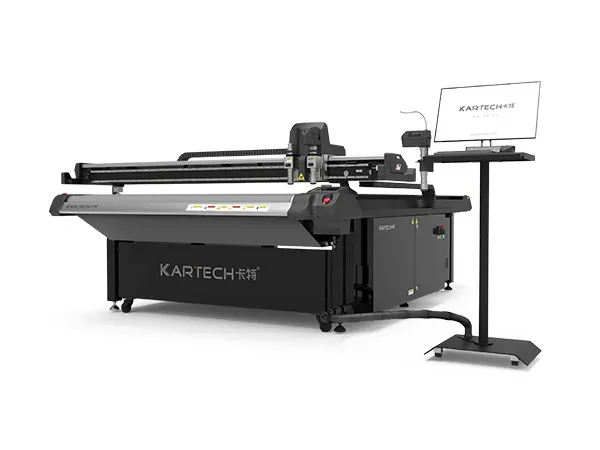
Before operating the equipment, it is important to understand its core components and working principles. A standard flatbed digital cutter typically includes:
Working Table – A stable flatbed platform where materials are positioned.
Cutting Head – Equipped with interchangeable tools such as oscillating knives, drag knives, V-cut tools, kiss-cut tools, and creasing wheels.
Vacuum System – Secures materials firmly on the cutting table to prevent movement during operation.
Control System & Software – Converts digital design files into cutting paths and machine commands.
Sensors & Cameras (optional) – Assist with contour cutting, registration mark detection, and precision positioning.
Understanding each component’s role helps operators anticipate machine behavior, avoid misuse, and troubleshoot faster.
Proper preparation sets the foundation for accurate cutting and machine longevity.
2.1 Powering Up and System Checks
Turn on the main power supply and wait until the control system loads completely.
Ensure the emergency stop button is released and functioning normally.
Inspect the cutting head for any tool wear or loose parts.
Check that the vacuum pump or air compressor is in good working condition.
2.2 Material Placement
Clean the flatbed surface to remove dust or leftover debris.
Lay the material smoothly on the table, ensuring no wrinkles or warping.
Activate the vacuum zone to secure the sheet firmly.
2.3 Tool Selection Based on Material
Choosing the right tool directly affects the cutting results:
|
Material Type |
Recommended Tool |
|
Corrugated board |
Oscillating knife + creasing wheel |
|
PVC foam board |
Drag knife |
|
Acrylic sheet |
Router bit (for models with routing spindle) |
|
Textile & soft materials |
Oscillating knife |
|
Sticker sheets |
Kiss-cut blade |
Selecting the correct tool minimizes edge chipping, improves cutting accuracy, and extends tool life.
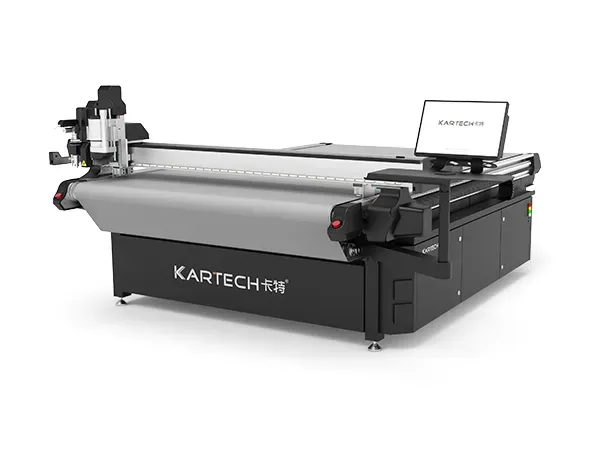
Nearly all flatbed digital cutters work with common design formats such as DXF, AI, PLT, PDF, and SVG. Before sending a file to the machine:
3.1 Design File Optimization
Ensure lines are closed and paths are clean.
Combine unnecessary anchor points to reduce processing errors.
Separate cutting, creasing, and perforation lines using different colors or layers.
3.2 Importing Files into the Control Software
Open the machine’s dedicated control software.
Import the design file and verify scale accuracy.
Set cutting parameters including depth, speed, pressure, and tool type.
If contour cutting is needed, make sure registration marks are correctly recognized by the camera.
3.3 Test Cutting
Before running a full-size job, perform a small test cut to confirm:
Cutting depth
Cutting smoothness
Material holding strength
Crease pressure (if applicable)
This step reduces waste and avoids production mistakes.
Once everything is set, the cutting process can begin.
4.1 Start Cutting
Press the start button on the control panel or software.
Observe the machine during the first cutting pass to ensure stable operation.
4.2 Monitoring the Cutting Process
During operation, pay close attention to:
Whether the material remains flat and secure
Cutting head movement and any abnormal noise
Vacuum pressure drop or inconsistent airflow
Tool temperature (for machines with routing spindles)
Experienced operators develop a habit of checking these details, preventing small issues from developing into downtime.
4.3 Completing and Removing the Finished Parts
After cutting finishes, wait for the machine to return to its home position.
Turn off the vacuum zones and gently remove the finished pieces.
Inspect edges for quality: smoothness, accuracy, and burr-free finish.
Clear any scrap pieces or dust from the table to prepare for the next job.
Routine maintenance not only improves cutting precision but also extends the machine’s service life
5.1 Daily Maintenance
Wipe the working table after each shift.
Clean the sensors and camera lens.
Check tool sharpness and replace blades when necessary.
Ensure vacuum filters are clean and not clogged.
5.2 Weekly Maintenance
Lubricate the guide rails and moving parts.
Inspect the belt tension and alignment.
Verify the cutting head calibration.
5.3 Monthly Maintenance
Check the vacuum pump oil level (if oil-based).
Evaluate overall machine performance and adjust software parameters if needed.
A well-maintained flatbed cutter can significantly reduce downtime and maintain consistent production quality.
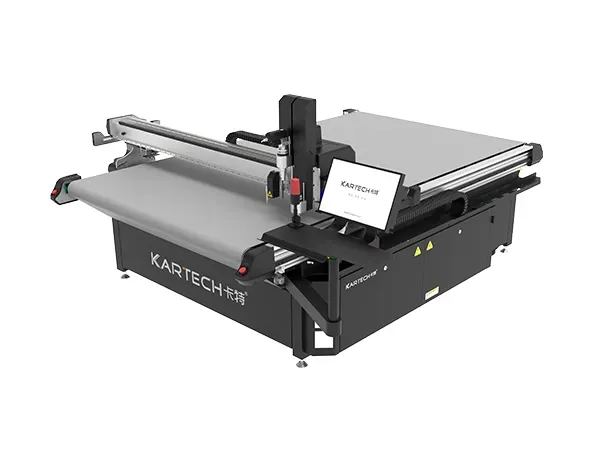
Safety should always be a priority when working with industrial cutting equipment.
Never place hands near the cutting head during operation.
Wear protective gloves when handling sharp materials.
Keep the emergency stop button accessible at all times.
Ensure material edges or blades do not pose an injury risk.
Avoid loose clothing or accessories that may get caught in moving parts.
A flatbed digital cutting machine is a versatile and powerful asset for modern manufacturing environments. By understanding the machine’s structure, mastering the correct operating procedures, and following proper maintenance routines, operators can achieve clean cuts, stable performance, and higher productivity.
This operation tutorial is designed to help teams—whether beginners or experienced technicians—use the equipment more confidently and effectively. With optimized workflows and reliable cutting results, your business can enhance production capabilities and deliver higher-quality products to customers.
Mass delivery and installation of KARTECH digital cutter XT-1625
2026-06-22FAYON & KARTECH Debut Full New Product Lineup at FESPA Global Print Expo 2026, Barcelona
2026-05-19Flatbed Digital Cutting Machine Troubleshooting Guide
2026-01-17Flatbed Digital Cutting Machine Operation Tutorial: A Practical Guide for First-Time Users
2026-01-17Address: Dingshang Street 21-6 Jindai Industrial Park, Guancheng District, Zhengzhou City
Email: info@fayontech.com
Phone: 0086 13213218088
0086 13213218088
Dingshang Street 21-6 Jindai Industrial Park, Guancheng District, Zhengzhou City